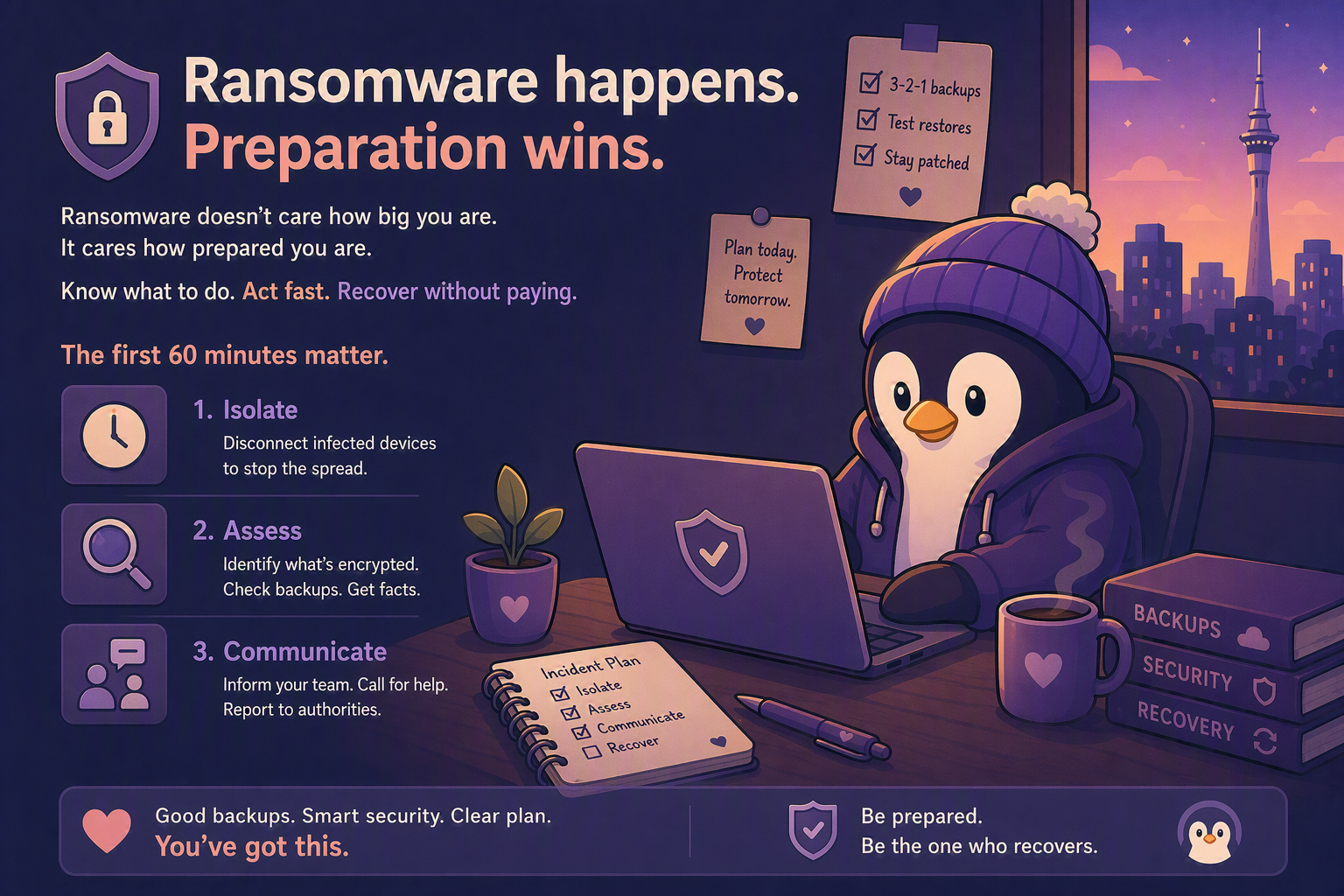
I hope you never need this post. But if you’re ever unlucky enough to see a screen full of encrypted files and a Bitcoin ransom demand, you’ll want to have read it first.
Ransomware isn’t a matter of if you’ll be targeted — it’s a matter of how prepared you are when it happens. Automated attacks don’t care how big you are. They care how vulnerable you are.
This post covers three things: what actually happens during a ransomware attack, what to do in the first 60 minutes, and how to make sure you can recover without paying a cent.
What Actually Happens
Ransomware is malware that encrypts your files and demands payment for the decryption key. Here’s how a typical attack unfolds:
Initial Infection
It starts with someone clicking something. A phishing email attachment, a malicious link, a compromised website. The malware installs silently. The user might not notice anything wrong.
Hours to Weeks — Reconnaissance and Preparation
Modern ransomware often doesn’t encrypt immediately. Attackers may spend time identifying valuable systems, moving through the network, stealing data, and attempting to disable backups before triggering encryption.
Execution
The attacker triggers the encryption across all infected machines simultaneously. The attacker attempts to encrypt as many accessible files, servers, and network shares as possible. Users see their files renamed with weird extensions (.locked, .encrypted, .ransom — each ransomware family has its own). A ransom note typically appears on affected systems.
Common ransom note:
“Your files have been encrypted. Pay 2 Bitcoin to [address] within 72 hours or your files will be permanently deleted. Contact [email] for proof we can decrypt.”
The demand is usually $5,000-$50,000 for small businesses. Sometimes more if they’ve found particularly sensitive data.
What to Do in the First 60 Minutes
If ransomware hits, speed matters. Here’s the order of operations:
Minute 0-5: Don’t Panic, but Act Fast
- Don’t pay immediately. Paying doesn’t guarantee you get your files back. Some ransomware doesn’t even have working decryption tools. And you’re funding the next attack.
- Don’t try to “fix” it yourself by running random tools. You might destroy the evidence or make recovery harder.
Minute 5-15: Isolate
- Disconnect the infected machine from the network. Pull the Ethernet cable. Turn off Wi-Fi. This stops the encryption spreading to network shares and other machines.
- If multiple machines are affected, disconnect them all. Yes, this disrupts business. But letting it spread is worse.
- Don’t immediately power off affected systems unless advised by an incident responder. Keeping a system running can preserve evidence and, in some cases, encryption keys or forensic data that may help recovery.
Minute 15-30: Assess
- Identify what’s encrypted. Which machines? Which drives? Which shares?
- Identify the ransomware family. The ransom note usually gives clues. Upload the ransom note or an encrypted sample file to https://id-ransomware.malwarehunterteam.com/ — it may help identify the ransomware family.
- Check your backups. Are they intact? Are they on a separate system that wasn’t encrypted?
Minute 30-60: Communicate
- Tell your staff not to use any computers until further notice.
- Contact your IT support (or MSP, or that tech-savvy friend). If you don’t have IT support, it’s worth calling someone now rather than trying to handle this alone.
- Contact your bank. If there’s any chance financial systems, payment systems, online banking credentials, or financial data may have been affected, your bank needs to know.
- Report the incident to NCSC/CERT NZ and NZ Police. (https://cert.govt.nz) Reporting helps authorities track threat activity and may provide access to guidance and assistance.
Should You Pay?
This is the uncomfortable question. Here are the facts:
- Many organisations that pay receive a decryption tool, but recovery is often incomplete, slow, and expensive. The exact percentage varies by year and study, but paying is never a guarantee.
- Paying marks you as a payer. You’re more likely to be targeted again.
- The decryption process is slow. Even with the key, decrypting everything takes days or weeks.
- There might be a free tool. Check https://www.nomoreransom.org — they have free decryption tools for many ransomware families.
My advice: don’t pay if you have viable backups. Restore from backup, rebuild the infected machines, and move on.
Only even consider paying if:
- You have no backups
- The data is genuinely irreplaceable
- You’ve exhausted every other option
And even then, get professional help. Don’t negotiate alone.
A Note on Stolen Data
Modern ransomware attacks often involve data theft before encryption. Attackers steal sensitive information first, then threaten to publish it if you refuse to pay. This is called “double extortion.”
Even if you can restore from backups, you may still need to deal with privacy, legal, contractual, or customer-notification obligations if sensitive information was taken. This is why reporting to authorities (NCSC/CERT NZ and Police) matters — they can advise on your obligations.
How to Make Sure You Never Pay
The best ransomware response is one you never need. Here’s how to be ready:
1. Follow the 3-2-1 backup rule. (We covered this here). Three copies, two media types, one offsite/offline. The “offline” part is critical — if your backup drive is connected when ransomware hits, it gets encrypted too.
2. Test your restores. A backup you haven’t tested is just optimism. Test monthly. Pick a random file. Restore it. Confirm it works.
3. Don’t store backups on the same network. If your backup NAS is always connected to the same network, ransomware may be able to access and encrypt it. Either disconnect it after each backup cycle or use a cloud backup with versioning.
4. Keep everything patched. Most ransomware exploits known vulnerabilities. Regular Windows updates, router firmware updates, application updates — boring but essential.
5. Limit user permissions. If every user has admin rights, ransomware can do maximum damage. Standard users have limited access — and that limits the blast radius.
6. Use MFA everywhere. We covered this here. Most ransomware starts with a compromised credential. MFA stops that.
7. Use modern endpoint protection (EDR). Traditional antivirus often isn’t enough. Modern endpoint detection and response tools can identify suspicious behaviour such as mass file encryption and stop an attack before it spreads.
8. Know your cyber insurance obligations. Some policies require incidents to be reported within specific timeframes and may provide access to incident response specialists.
The Bottom Line
Ransomware is a nightmare, but it’s a survivable one if you’re prepared. The businesses that get destroyed are the ones with no backups, no plan, and no idea what to do when it happens.
The businesses that recover? They’ve got tested backups, they act fast, and they don’t pay because they don’t have to.
Be the second kind.
I’ve put together an incident response checklist and backup recovery drill guide on Patreon — including a first-60-minutes action plan you can print and keep near the server, a ransomware recovery step-by-step guide, and a backup recovery drill template you can run quarterly. Get it here.